
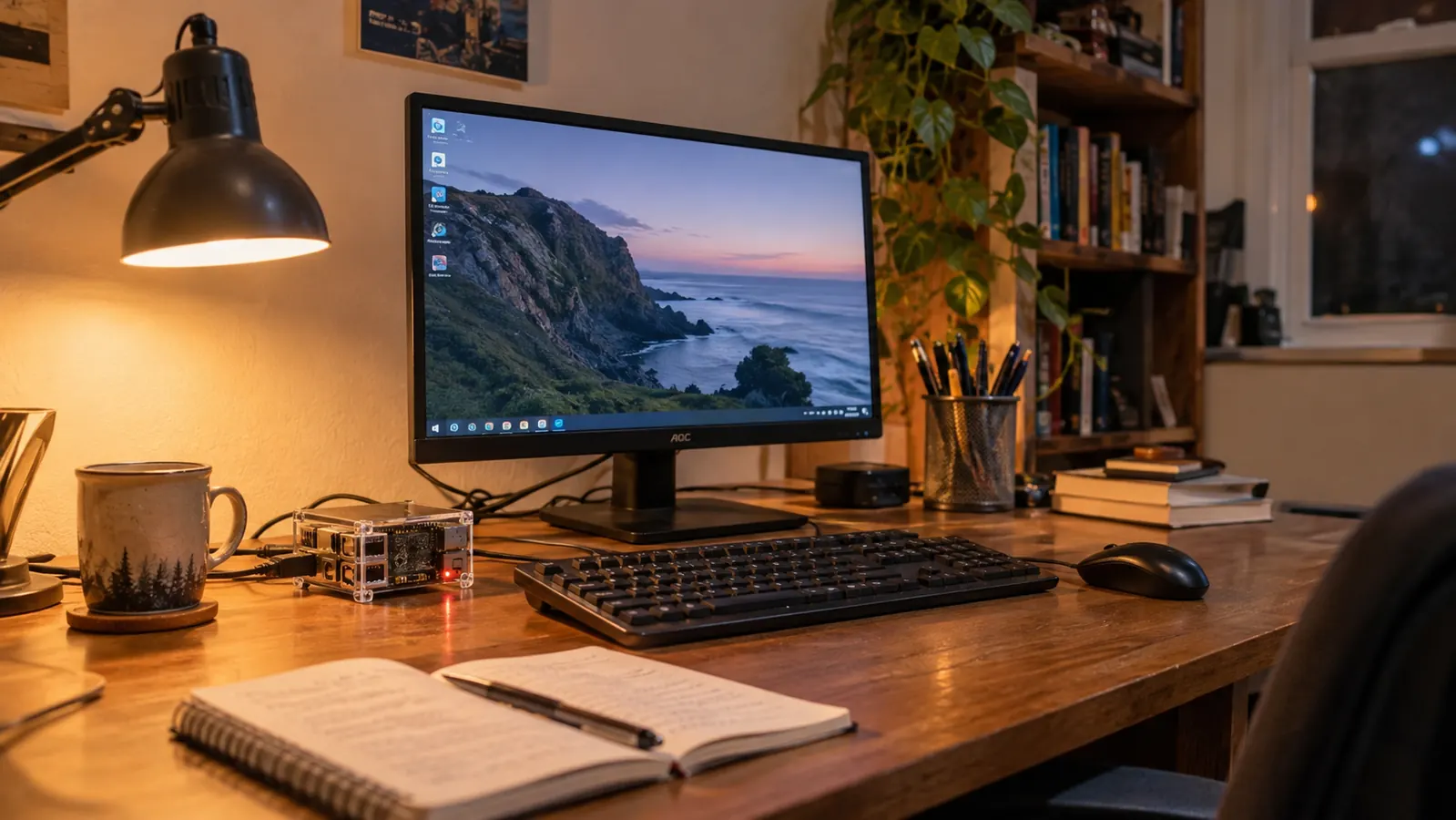
If you are standing where I stood in February 2025, a little shaky, worried you will break something before you learn anything, the CanaKit Raspberry Pi 5 Starter Kit PRO is the one I would put on your desk. I am not a technician. I have spent 24 years as a hospital billing clerk in Knoxville and I still work there five days a week. I started learning this at 54, in January 2024, because my department changed software and I stopped understanding what I was looking at. The Pi 5 kit is the machine that stayed set up and taught me the terminal. The Raspberry Pi 4 kit is the machine that costs less and has years of beginner walkthroughs written for it. Both can teach you. They teach you in different moods.
One thing to get out of the way first. I have never owned a Raspberry Pi 4. I bought the CanaKit Pi 5 kit in February 2025 and it has sat on my back room desk ever since. Everything I say about the Pi 4 side of this comparison comes from product listings and from what my nephew Theo, a network technician at a school district, has told me. I am not going to pretend I tested both boards side by side for a month. I am going to tell you what the Pi 5 kit actually came with, what I did with it, and where the older board is genuinely the smarter buy.
| CanaKit Pi 5 Starter Kit PRO | Raspberry Pi 4 Kit | |
|---|---|---|
| Processor | 2.4GHz 64-bit quad-core on the Pi 5 board | Older, slower board |
| Memory | 8GB of RAM included | Most kits I looked at are built around 4GB or less |
| Storage in the box | 128GB micro SD with the system already loaded, plus a USB card reader | Card size varies by kit, and a reader is not always included |
| Cooling | Case, low noise bearing system fan and heat sink all included | Usually a case, usually no fan |
| Power supply | 45W PD supply included | A supply is included with most kits |
| Display cables | Two 6 foot cables included | Varies by kit |
| Cost | Costs more | Costs less |
| Walkthroughs written for beginners | Fewer, and some assume newer menus | Years of guides and forum answers written for it |
| Noise | The fan is quiet but it is there | Many kits have no fan at all |
| Headroom for later projects | Plenty of room to grow into | Enough for learning, tighter later on |
What Actually Comes in the CanaKit Box
The listing says the box holds the Pi 5 board with 8GB of RAM and a 2.4GHz 64-bit quad-core processor, a 128GB micro SD card already loaded with the 64-bit Raspberry Pi OS, a USB micro SD card reader, the CanaKit case, a low noise bearing system fan, a heat sink, a 45W PD power supply, and two 6 foot display cables. That is the whole kit. Nothing else arrived, and nothing else was needed. For someone who does not yet know which parts are optional, that matters more than the specification sheet suggests.
RAM is the piece I had to have explained twice. It is the short term memory the computer uses while it is running, and it empties when you shut down. This kit comes with 8GB. Most Raspberry Pi 4 kits I looked at are built around 4GB or less. For opening a browser, a file manager and a terminal at the same time, more memory means fewer moments where the whole thing pauses while it thinks. I have never once had this kit stall on me in the middle of an evening of study.
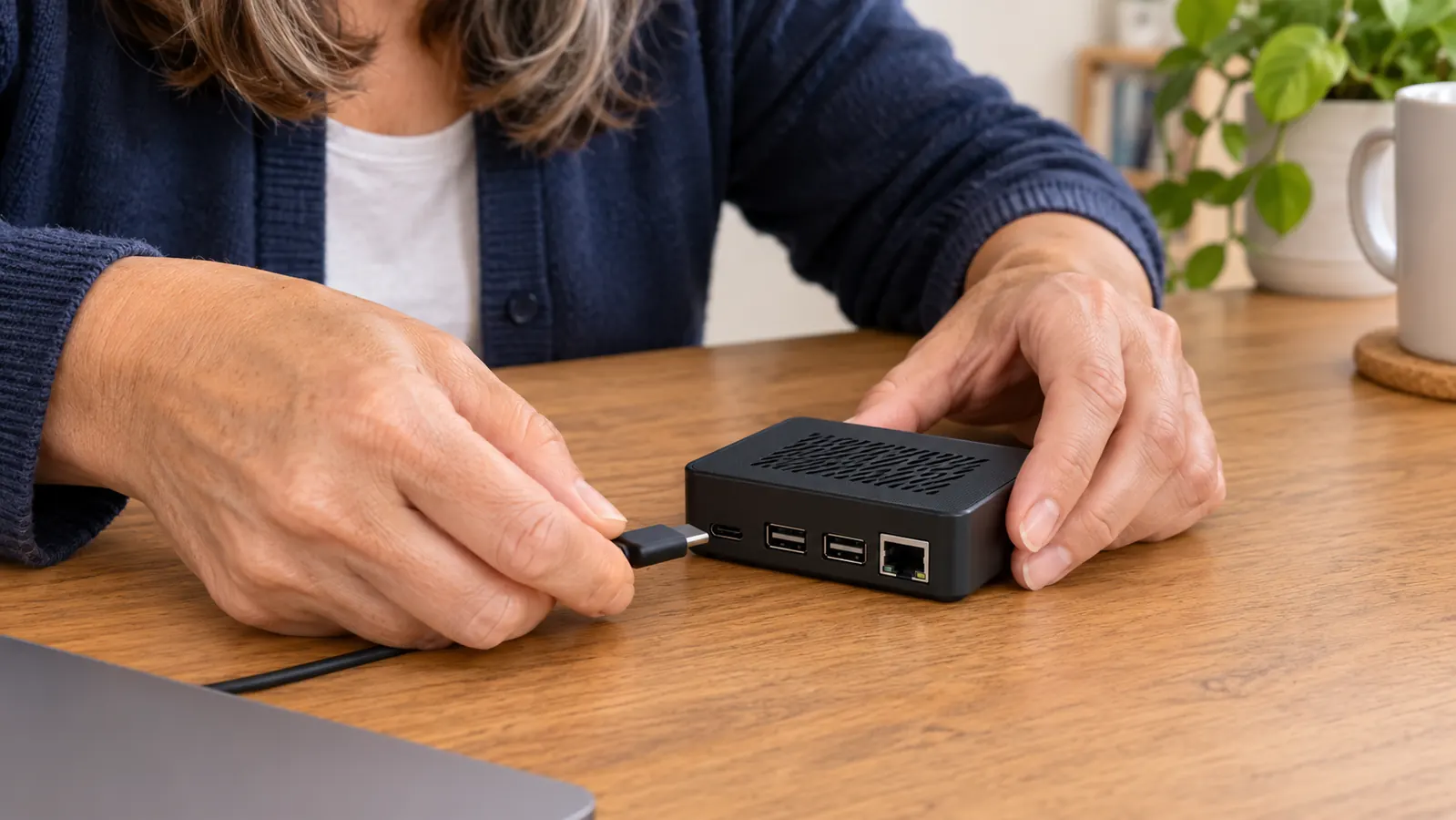
The 128GB card is the other piece I did not appreciate until later. It arrives with the operating system already on it, so your first session is a matter of plugging in the display cables, the keyboard, the mouse and the power supply. I assembled mine in one evening in about 40 minutes and it started on the first try. The USB card reader in the box is for later, when you want to copy a backup or write a second card. I have used mine twice and both times it did exactly what I expected.
The case, the fan and the heat sink are the parts people skip when they buy a bare board, and they are the parts that keep a small computer from running hot during a long session. The fan is described as low noise and mine is. I hear it if I lean close. From the kitchen I do not hear it at all. The heat sink is a solid piece of metal that sits against the board, and I am told by Theo that it is doing quiet work I will never see.
The 45W PD power supply came in the box, and so did both display cables. I want to be plain about why that is worth something to a nervous beginner. Every cable you have to go out and buy separately is another evening you do not sit down and study. I did not make a second trip for this kit. That was the difference between starting in February and starting in March.
Where the CanaKit Pi 5 Kit Wins
Speed and memory are the honest wins, and they are the wins you feel rather than measure. The 2.4GHz quad-core processor with 8GB of RAM runs the full desktop version of Raspberry Pi OS without complaint. On a Tuesday night I have a terminal open, a text editor open and a browser tab with my printed guide pulled up beside me, and I move between them the way I move between windows on the laptop I use for work. Nothing dramatic happens. That is exactly the point.
The second win is that it is one purchase that ends. Board, card, case, fan, heat sink, power supply, display cables. If you are the sort of person who reads three reviews and then closes the laptop without buying anything, which was me for most of 2024, this removes the part where you have to assemble a shopping list and hope you got it right. Theo's advice to me was to buy one kit and stop shopping. I have since passed that on to two women at work who asked me how I got started.
The third is room to grow. I am not doing anything advanced. I practice the Linux terminal, I break file permissions on purpose and then fix them, and I write short Python scripts that do nothing useful. But when I read about something I might want to try later, the answer is nearly always that this board can do it. That is not true of every cheap computer you can buy to learn on.
I assembled mine in about 40 minutes and it started on the first try. The difference between starting in February and starting in March was one box.
Where the Raspberry Pi 4 Kit Wins
It costs less. I am not going to soften that, because for a lot of people reading this it is the deciding fact. If you are not yet sure you will stick with this past the first month, spending less on your first machine is the sensible move, and a Pi 4 will still run Raspberry Pi OS, still give you a terminal, still let you practice the same commands I practice every Thursday night. The board is older. Older is not the same as broken.
It has more help written for it, and that is worth more than beginners expect. When I get stuck, I search. Most of the plain English walkthroughs I find for a basic question were written for a Pi 4 or something older than that. Theo says the same thing from the other side of the desk, that the answers online are deeper for the board that has been out longer. On the Pi 5 I have occasionally followed a guide that assumed a menu or a step that did not match what I was seeing on my screen, and I had to stop and work out which of us was out of date.
It is usually quieter, because many Pi 4 kits ship with a case and no fan at all. Mine has a fan and it is a quiet one, but a board with no fan makes no sound whatsoever. If the machine is going into a bedroom or a room you share with someone who goes to bed earlier than you do, that is a real advantage, and it is not one I can claim for the kit I own.
The Kit That Ended My Shopping List
8GB of RAM, a 128GB card with the system already on it, the case, the low noise fan, the heat sink, the 45W PD power supply and both display cables, in one box. It is what sits on my desk and it started on the first try.
Amazon Check Today's Price on Amazon →
What a Study Night Actually Looks Like
Tuesdays and Thursdays, seven to nine, plus Saturday mornings. That is the schedule and I keep it because it is written down in the front of my notebook, not because I am disciplined. I sit at the desk in the back room, which has the 22 inch monitor, a wired keyboard and a wired mouse that Theo gave me when his office cleared out some equipment. The Pi sits behind the monitor on a small shelf. I plug the power supply in, wait a moment, and the desktop comes up.
Then I work in the terminal. I make folders, I take permissions away from myself on purpose, I put them back. I wrote a script that renames a folder of files, then deleted it and wrote it again, because the first time I had copied out something I did not understand rather than building it myself. At the end of every session I shut the machine down properly. That sounds like nothing until the night you pull the plug on a computer and lose two hours of work, and I have done that, just not on this machine.
I am studying for CompTIA A+, which is two exams. Core 1 took me two tries and I am working on Core 2 now. I will not tell you that a kit gets anyone through an exam, because it will not do the reading for you and I am not going to claim my own result came out of a box. What I will say is that file permissions and the command line stopped being words on a page and became things I could break and repair on a machine that was mine to break.
The Terms That Made Me Nervous
GPIO is the row of pins along one edge of the board, and it is how a small computer talks to things you wire up yourself. I have not used mine yet. I am telling you it is there because if you came into this from the wiring side, the way I did with an Arduino starter kit in 2024, that row of pins is the reason you would want one of these at all rather than a cheap used laptop.
USB is the part you already know. Keyboard goes here, mouse goes there. The listing puts GPIO and USB under connectivity, which is a formal way of saying it connects to the things you plug in and the things you wire. The listing also names Bluetooth, which means a wireless keyboard or a small speaker can pair with it if you would rather not have cables across the desk.
The operating system is Raspberry Pi OS, which is a version of Linux. That is the same Linux whose commands I practice. If you have read that Linux is hard, it is hard the way a new billing system is hard in the first month, and then one Tuesday it is simply the thing you are using.
Who Should Buy Which
Buy the CanaKit Pi 5 kit if you want to sit down once and start. If you expect to keep at this for a year, if the machine will live on a desk rather than go back in a drawer, and if you would rather not spend an evening working out whether the power supply is strong enough or whether the case comes with a fan, this is the one. It also suits anyone who, like me, gets quietly overwhelmed by a shopping list and stops.
Buy the Raspberry Pi 4 kit if you are not sure yet. If the less expensive option is what gets you started this month instead of some month that never arrives, take it and stop reading comparisons. It will run the same operating system and hand you the same terminal. Do not let anyone tell you that you have to begin on the newest board to learn anything. I began on a used laptop from 2019 with a memory stick and I am still going.
The one thing I would not do as a first purchase is buy a bare board and a pile of separate parts. People do it and some of them are fine. For me, at 54, with nobody in the house who could tell me whether I had bought the right power supply, the whole point of a kit was that the deciding was already done.
If You Would Rather Start Than Shop, Start Here
The 8GB CanaKit Pi 5 kit, with the card loaded, the cooling in the box and both display cables, is the shortest path I know from wanting to learn this to actually sitting down at a terminal.
Amazon Check Today's Price on Amazon →