
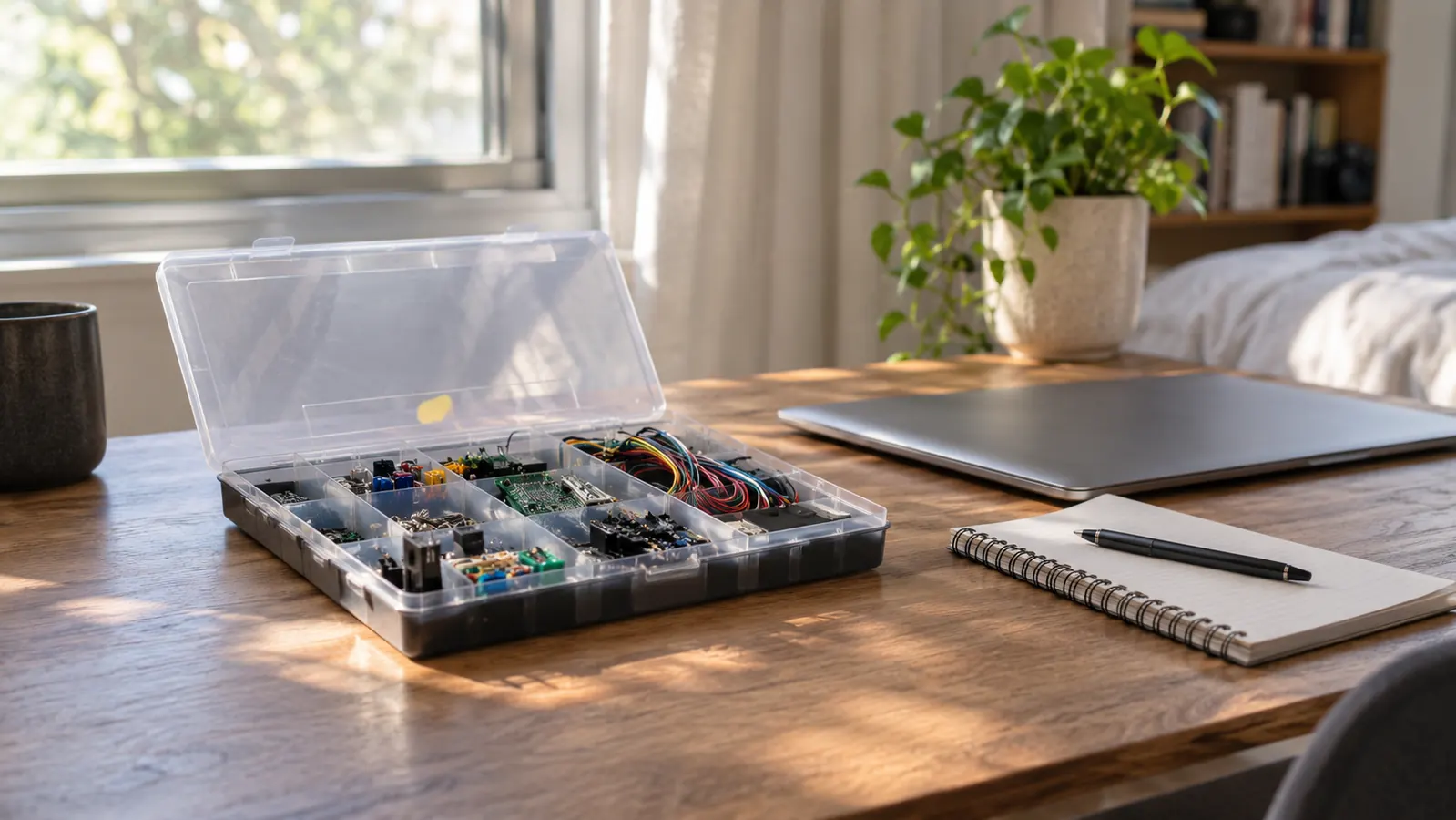
I bought the ELEGOO UNO R3 Super Starter Kit in September 2024 because I did not know what was happening inside a computer. I had spent 24 years as a billing clerk at a hospital in Knoxville, and in January of that year my department moved to new software and I felt the floor tilt. People around me said words like port and driver and firmware as if everyone was handed that vocabulary at birth. So at 54 I started learning, and the first thing I wanted was to hold a computer in my hand and watch it work. That is what this kit is. It is not a course and it is not a certificate. It is a box of parts and a set of lessons, and it is still on my shelf 26 months later.
I am not a natural at this. I am the person who stripped a screw on a used laptop because I used my husband's old screwdriver, and I only stopped doing damage like that after I bought a proper tool kit. I tell you that so you can weigh the rest of this honestly. The ELEGOO kit was the first purchase that let me see cause and effect. I typed a line on a keyboard and a light on my desk obeyed. That sounds small. It was the moment the whole subject stopped being frightening, and no video I watched before it did the same thing.
The Quick Verdict
The right first purchase if you need to watch code do something physical. It took me five months to finish the lessons, the display section nearly beat me, and the board still works 26 months on.
Amazon Check Today's Price →If the videos have not made it click, this is the box that did it for me
The UNO R3 controller board, a breadboard, a breadboard power supply and an LCD1602 with the header already soldered on, plus 22 or more guided lessons in one case. It connects by USB and runs from the Arduino IDE on an ordinary laptop.
Amazon Check Today's Price on Amazon →How I've Used It
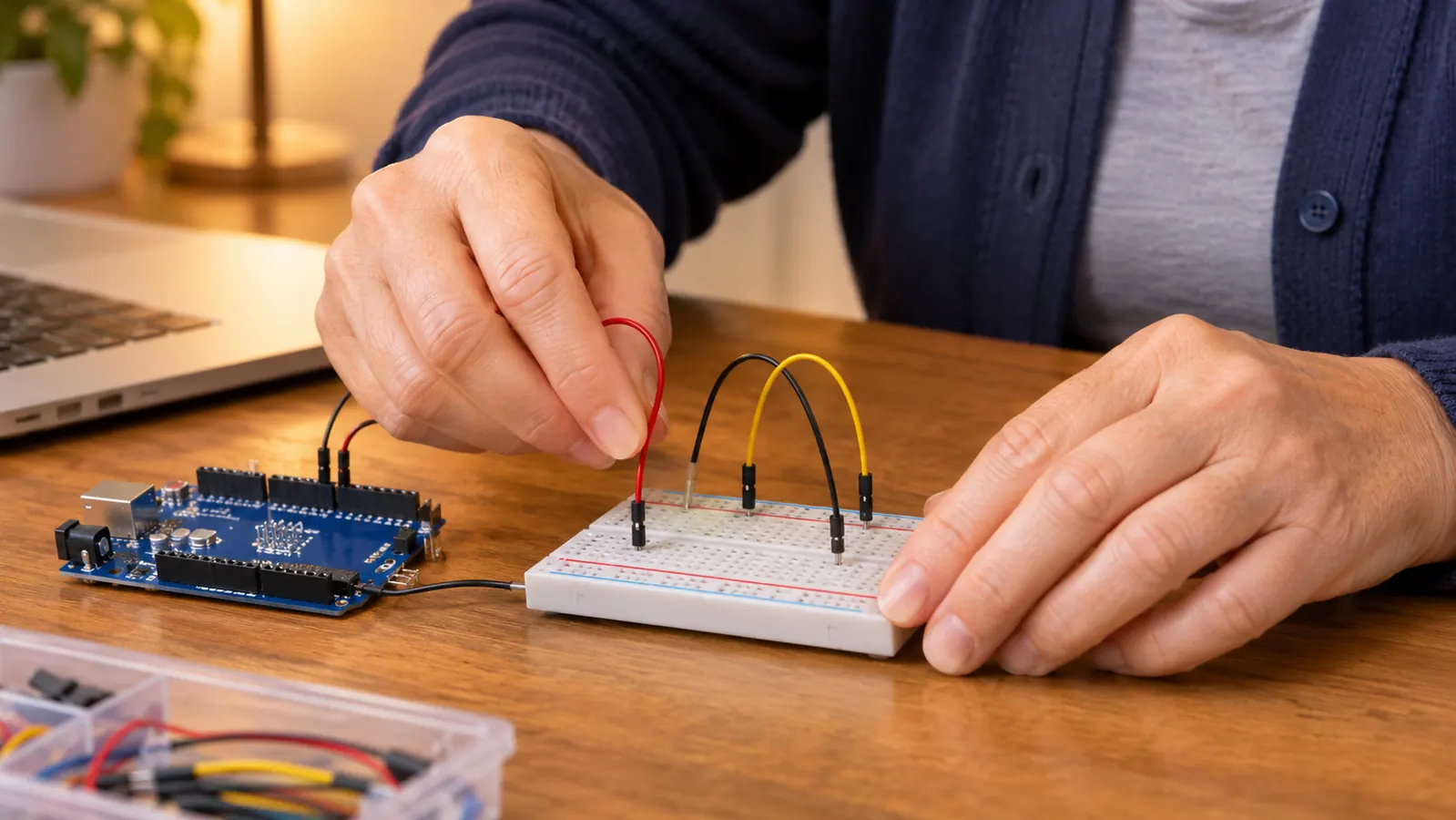
My study schedule is Tuesday and Thursday evenings, seven to nine, plus Saturday mornings. It has not changed since I started. The kit fit it because a lesson is short. You read the page, you push a few wires into the breadboard, you plug the USB cable into my HP laptop, you upload, and something happens. The whole loop is about twenty minutes when it goes well, and an hour when a wire is in the wrong row. I finished the last of the guided lessons in February 2025, roughly five months after I opened the box. Five months is slower than the box implies, and I do not think I was unusual. I was working full time and I was not working on it every day.
The board lives in its plastic box on the shelf in the back room, the spare bedroom where I do anything with my hands. When I want to check something now, I take it down and the same USB cable works. That matters more than it sounds. A lot of beginner equipment is a one-time experience. You finish it, you put it away, and two years later a piece is missing and the software has moved on. This one still uploads, still runs the old lesson files, and still explains itself when I go back to a chapter I skipped.
My nephew Theo, who is a network technician at a school district and the only person in my family who gives me advice on any of this, suggested it. He has never touched the kit himself. He said the value was that I would be forced to wire something and then find out whether the wiring was right, and he was correct. I kept a paper notebook beside it the whole five months, one page per lesson, with the wires I got wrong marked in the margin. That notebook is more useful to me now than the tutorial itself. I have made exactly one real mistake with the parts, and I will get to that. Otherwise the board has taken everything I have done to it. There is no soldering in this kit, so nothing is permanent and nothing is ruined by a bad evening. That is the reason I chose it over anything that needed a hot iron.
What Comes in the Box and What the Board Actually Is
The ELEGOO case measures 8.3 by 5.5 by 1.97 inches, and the whole thing weighs about 1.2 pounds. It fits on a shelf and it travels in a tote bag. Inside, the parts sit in compartments with the small pieces separated, which sounds like a minor thing until you have hunted for one part on a dark carpet. The center of it is the UNO R3 controller board. Beside it there is a breadboard, a breadboard power supply that clips onto it, an LCD1602 display with the header already soldered on, and the parts the lessons call for.
The board itself is deliberately small. It runs at 16 MHz and it has 2 KB of memory. Two kilobytes. My phone is far more powerful and I cannot see anything inside my phone. I can see every part of this board, and the numbers are small enough to hold in my head. It connects by USB, which is the only reason I could start at all. You plug it into a laptop, open the Arduino IDE, and the board shows up as a device. No separate programmer, no adapter, no second purchase to get moving.
The listing also mentions infrared under wireless compatibility. I have never used that and I am not going to pretend I have. The line that matters is compatible devices, meaning anything that works with the Arduino IDE, which is what you will be using. There is a one year manufacturer warranty. I have never needed it. The board has not failed and no part of it has gone intermittent, which is the failure I would have expected from something that gets unplugged and carried around.
The lessons arrive as a PDF tutorial. I read mine at the kitchen table on the HP laptop, then carried the laptop to the back room and did the work. The listing counts 22 or more guided lessons and my experience matches that. The early ones are short. The later ones are not. If you are the sort of person who reads the whole manual before starting, do not, because the first three lessons will teach you more about the kit than an hour of reading will.
The Five Months It Took Me to Work Through the Lessons
I did one lesson per Saturday morning for most of it. Some Saturdays I did two. A few weekends I did none, because life happens. On the first evening I had the kit, before any of the structured lessons, I made an LED blink. That is the oldest trick in the subject and it worked on the first upload. I sat in an empty room and watched a light go on and off because of lines of text I had typed. I remember thinking that I had just made a machine obey an instruction, and that nothing in the previous 54 years had shown me the inside of that sentence.
The middle lessons are where the kit earns its keep. You make LEDs blink, you read a temperature, you measure a distance, you make a servo turn. Each one is a separate small idea and each one is only a few lines away from the last. Here is my mistake, and I include it because it is the most useful thing I can tell you. In an early lesson I left out a resistor. I was in a hurry and I read the diagram as optional. The LED lit, briefly, and then it did not. One dead part. The board was completely fine.
That dead part taught me more than three lessons before it. It taught me that the components are not magic and that a circuit is a physical path with limits. It also taught me that I could break something and keep going, which was the fear I had carried since January. There was another one in the compartment, and I was back at work the next Saturday. Where it genuinely got hard was the LCD1602 lessons. Wiring a display is the first time you hold several connections at once, one of them is in the wrong row, and the display answers you with nothing. It just does not light. I spent two Saturdays on it. When characters finally appeared, I understood what a wiring error really is, which no video had managed to teach me.
The board has 2 KB of memory and runs at 16 MHz. My phone is far more powerful and I cannot see inside it. I can see every part of this board, which is the only reason it taught me anything.
What It Does Not Teach You
This kit teaches one thing well and I want to be clear about the edge of it. It does not teach soldering. There is no iron in it and nothing you build is permanent. If you want that skill you need a separate purchase and separate practice pieces. It does not teach networking either. The board talks to a laptop over a cable and that is the whole of it. It will not teach you to install an operating system, manage a router, or run a cable through a wall.
It also will not carry you through a certification by itself. I am studying for CompTIA A+, which is two exams. I failed the first one in February 2026 and passed it on a second attempt in May. This kit was not the reason either way. What I used for the exam was a printed study guide and a great deal of repetition. What the kit gave me was a picture in my head of what a signal is, and that picture made some of the exam language less abstract. That is the honest size of the claim.
How It Has Held Up After Two Years
Twenty-six months in, the scorecard is short. The board works. The breadboard still grips wires, though the rows I used most are looser than they were. The LCD1602 still works and I am still slightly surprised every time it does. I have lost two jumper wires, which is a household problem and not a product problem. Nothing has cracked and nothing has smoked, and the case has kept every part in one place.
The one thing I would change is the packaging of the knowledge, not the hardware. A PDF on a laptop that you then carry to another room is an awkward way to follow a diagram. I printed the pages I used most and that solved it. If you buy this, budget for printer paper. I have never owned the ELEGOO Basic Starter Kit, so I cannot compare the two from experience. I can tell you that after five months with the Super Starter Kit I did not feel oversupplied. The extra parts are the reason the later lessons exist at all. If you are the kind of person who quits halfway, buy less and finish it. If you finish things, this is the one I would pick again.
What I Liked
- You can see cause and effect. Type a line on a laptop and a light on the desk obeys.
- USB connection and the Arduino IDE on an ordinary laptop, so nothing else is needed to begin.
- 22 or more guided lessons that build, from a blinking LED to a temperature reading, a distance measurement and a servo turning.
- No soldering anywhere, so a bad evening costs you one small part instead of the whole board.
- Still working after 26 months, and the compartmented case keeps every part together.
Where It Falls Short
- A PDF tutorial is awkward to follow from a laptop while both hands are holding wires.
- The LCD1602 lessons are where a beginner stalls, and the kit will not tell you which row is wrong.
- The breadboard rows loosen after a couple of years of regular use.
- It teaches one narrow thing. No soldering, no networking, no operating system.
- Five months is a realistic pace, not five weekends.
Who This Is For
This is for an adult who is tired of nodding along. If you have ever felt that everyone else was handed a vocabulary you missed, and if you learn better with your hands than from a screen, this is the plainest honest starting point I know of. It suits a person who can give it one morning a week and does not need it to be fast. It suits someone who wants to know what a signal is before studying anything built on top of signals. It suited a 56 year old billing clerk with a used laptop and nobody at home who could explain it.
It also suits someone who has been putting this off for a while and needs the first step to be small enough to survive a bad week. One cable, one light, one lesson. If that is the size of your available courage right now, this kit fits it, because you can finish something real in twenty minutes on a Tuesday night and still go to bed.
Who Should Skip It
Skip it if you want a certificate rather than an understanding. This kit will not appear on any exam and it will not shorten your study time. Skip it if you already program and you are only here for hardware, because the early lessons will bore you. Skip it if you will not give it a regular slot. Half a kit in a closet is worse than no kit, because it becomes evidence that you cannot do this, and that evidence is false. It is just unfinished. Skip it too if you wanted to solder, because there is none of that here.
One box, one USB cable, and the first time a light obeys you
26 months on, this is still the thing I point people to first. The UNO R3 board, a breadboard, a breadboard power supply and an LCD1602 in one case, with 22 or more guided lessons that assume you know nothing.
Amazon Check Today's Price on Amazon →