

I bought the SANDISK 128GB Ultra Dual Drive Go in June 2024 with one job in mind, and I want to be plain about that up front, because a lot of drive reviews are written by people who own a drawer full of them. I am 56. I work full time as a hospital billing clerk in Knoxville, Tennessee, and I started learning about computers at 54, in January 2024, when my department moved to new software and I could not follow what was happening on my own screen. I did not buy this drive to hold photos or films. I bought it so I could boot a Linux system on a used Dell Latitude laptop I had picked up that February as a practice machine. That is the whole reason. What follows is what happened when I asked it to do that, plus the things I learned afterward that I would rather have known first.
Here is the short version before I take it apart. The drive does the job I bought it for. It has done it for twenty nine months, it has never failed, and it lives in a small dish on the desk in my back room. It also carries both connector shapes in one body, the modern small oval and the old rectangle, and that single detail is why I picked it over a plain stick from the rack by the checkout. But there are things about it the product page does not come right out and say, and one of them matters if you expect large files to move as fast as the headline number suggests. I will get to all of it, including the part where the drive was not the problem.
The Quick Verdict
A small, dependable two-connector drive that boots a Linux laptop and carries study notes between an old computer and a phone. Writing to it is slower than the number people quote, and it is easy to misplace.
Amazon Check Today's Price →The drive that booted the practice laptop on the second try
128GB, one USB-C end and one USB-A end, and it has sat in the same dish for twenty nine months without a single failure. That is the whole case for it.
Amazon Check Today's Price on Amazon →How I Have Used It, and What I Actually Asked of It
My nephew Theo, who is 31 and works as a network technician for a school district, is the person I go to with questions. When I told him I wanted to run Linux on the Dell instead of only reading about it, he said to get a drive with both kinds of connector and to stop overthinking it. So the first job was to hold the Linux Mint installation and then act as the live system when I wanted to boot the Dell without touching what was on its internal drive. Rufus is the program I used to write it, running on my HP laptop, which is the everyday machine.
The second job arrived on its own. My study notes live in plain text files, because I type slowly and formatting gets in my way. I keep them on the drive and move them between the HP laptop, which has the old rectangular ports, and my Android phone, which has the small oval one. Before this drive I had a single old 16GB stick from work that only fit the rectangle, so getting a file onto the phone meant emailing it to myself. The drive removed that step. It is not exciting work. It is the reason I still have it.
To give you the size of the job: my whole notes folder is under two megabytes. That is not a typo. Twenty nine months of typed notes, a few diagrams saved as images, and a text file where I keep the commands I keep forgetting, and the lot of it would fit on this drive sixty thousand times over. So the 128GB is not for volume. It is for never having to think about space, and for the fact that the larger capacity was barely different in cost from the smaller one when I looked. If you are carrying notes, you are buying room you will never fill, and that is fine by me.
What the Listing Says, Translated Into Plain English
The product page lists 128GB of storage, read speeds up to 400 megabytes per second, and a write speed of 150. That second number is the one people skim past, and I will come back to it. The hardware interface is given as USB 3.1 Type A and USB Type C, with a reversible connector, and the listing says it works with mobile devices and tablets as well as computers. The warranty is a five year limited manufacturer warranty. It weighs 3.7 grams and measures 1.75 inches long, 0.48 inches wide and 0.34 inches deep.
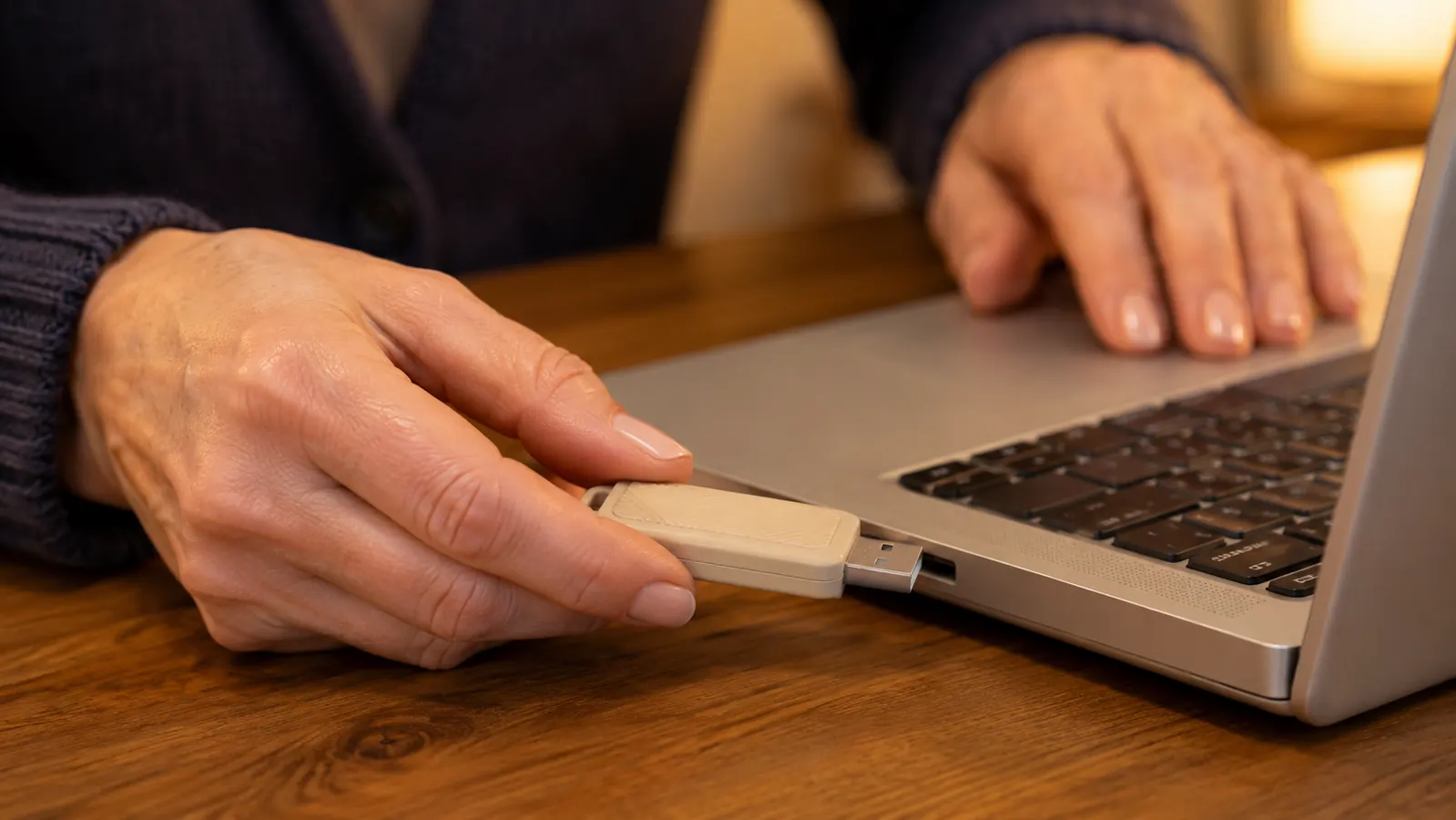
In my hand that means something shorter than my little finger and lighter than a paperclip. Both connectors live on the one drive, so there is no second piece to keep track of, which matters more than it sounds when you are 56 and have already misplaced one small object this week. Reversible on the small end means it goes in either way up, so I do not have to look at it before pushing it into the phone in a dim room.
The other item on the page is the SANDISK Memory Zone app, and the listing is careful to say it requires a download and an install. I have never used it. My notes are files I made myself, and I keep them safe by copying them, not by handing a program the job. If automatic photo backup from a phone is what you are after, the app exists and you have to go and get it. I cannot tell you how well it works, because I did not test it and I am not going to pretend otherwise.
The headline number is 400 megabytes per second, and that is the read speed. Writing to it is the part your hands actually feel, and the listing puts that at 150.
The Bootable Drive Job, Including What Went Wrong
Here is how it went, because the honest version includes a failure. I downloaded the Linux Mint image on the HP laptop, opened Rufus, pointed it at the drive and let it write. That took a while, longer than I expected, and I now understand why. Writing is the slow direction. Then I plugged the drive into the Dell, restarted, and nothing happened at all. The Dell booted its own drive as if I had done nothing.
The write itself took close to twenty minutes on the HP laptop, which is longer than the videos suggest, and I sat watching the bar and wondering whether it had frozen. It had not. The image is a bit over two gigabytes and the drive writes at the slower number on the box, so the arithmetic comes out roughly where I ended up. Nothing was wrong. I simply had not done the sums before I started. I have since done the same write twice more, once for a different version of the system, and it takes about the same each time, which is reassuring in a dull way.
That was not the drive failing. The Dell was still set to look at its internal drive first, and I had never changed that setting in my life. I restarted again, pressed the key that opens the setup screen, moved the USB entry to the top of the boot order, saved, and restarted. The second attempt came up in Linux from the drive without complaint. I have repeated that sequence perhaps a dozen times since, and it has worked every time, including after the drive had been sitting in its dish untouched for months.
I want to be clear about what this proves and what it does not. It proves that this drive, written with Rufus, boots an older Dell Latitude reliably. It does not prove anything about speed, because a live Linux system runs from memory once it is up. If you are shopping for something to run an operating system from permanently, you are reading about the wrong category of product.
What Nobody Tells You
First, the speed figure is a read figure. Four hundred megabytes per second is how fast the drive can hand data to your computer, and only on a port that supports it. Writing is listed at 150. When I copy a folder of text notes it finishes before I can stand up. When I moved a large file across, I had time to make coffee and come back. That is not a defect. It is what the listing says, printed in a place most people scroll past on the way to the button.
Second, the capacity you see is not the capacity on the label. Windows showed it as 116GB the first time I plugged it in, and I panicked and asked Theo whether I had been sent the wrong thing. The arithmetic is that the label counts a billion bytes to the gigabyte and Windows counts 1,073,741,824, so some of the number walks off before you ever see it. I looked that up on the HP laptop while the drive sat in the port, and I felt foolish for the ten minutes I had spent worrying.
Third, and this is the one I would print on the packaging, it is small enough to lose. It is 1.75 inches long and 3.7 grams. Twice I have set it down somewhere other than its dish and spent ten minutes patting my pockets in the hallway. I have not actually washed it. I came close once, in the pocket of a cardigan, and found it in the laundry basket before the load went in. That was the day the dish stopped being a habit and became a rule. If you buy one of these, pick a place for it on the first day and put it nowhere else.
Fourth, a flash drive is not a backup. I say that as someone who has used this one for twenty nine months without a single problem, which is exactly the kind of run that makes a person careless. The notes I care about exist in three places: the HP laptop, this drive, and a copy on the Raspberry Pi. The drive is the thing that moves them, not the thing that saves them. If the only copy of something is on a stick the size of your finger, you do not have a copy.

Where It Falls Short, Honestly
The write speed is the real limitation and it deserves its own paragraph. If you are moving a handful of documents, you will never notice. If you are moving a folder of images or a system image, you will notice, and the drive will sit there being honest with you while the progress bar crawls. The worst case I have had was a folder of installation files, around three gigabytes, and I started it and went to make a proper cup of tea rather than stand there watching. SANDISK prints the number, so this is not a trick. It is a gap between what people assume a fast read speed means and what the drive actually does when data goes the other way.
The other shortfall is that you cannot tell by looking whether the port you just used is a fast one or an old slow one. The drive is only as quick as the socket it is in. I tested this in a way that is not scientific but convinced me. I copied the same folder, notes and diagrams both, into the port nearest the hinge, then into the one on the far side, and timed each with the clock on my phone. The far one took about twice as long. I do not know which is which and I have never read the HP manual, so all I can tell you is that on my machine one socket is faster, and the drive will follow whichever one you give it.
That is a computer problem rather than a drive problem, but you will feel it as a drive problem, and it is worth knowing before you decide the drive is slow. The five year limited manufacturer warranty is also something I can only confirm exists, since I have never had to claim on it.
What I Liked
- Both connector shapes on one drive, so the same stick fits the old laptop and the phone
- 128GB is far more room than plain text study notes will ever need
- 3.7 grams and 1.75 inches long, so it sits in a desk dish without being in the way
- Five year limited manufacturer warranty
- Has booted a Linux laptop reliably for twenty nine months without a failure
Where It Falls Short
- Write speed is listed at 150 megabytes per second, well under the 400 read figure people quote
- Small enough to misplace, and I have nearly done it twice
- The Memory Zone app has to be downloaded and installed separately if you want it
- Speed depends on the port, and you cannot tell a fast port from a slow one by looking
Who This Is For
This drive suits someone who needs to move files between an older computer with rectangular ports and a newer phone or tablet with the small oval one, and who does not want to carry an adapter in a bag. It suits a person learning Linux who wants to boot a practice machine without touching its internal drive, which is exactly what I did with Rufus and Linux Mint, and it suits that person even after they get it wrong the first time. It suits a student carrying notes, a small pile of documents, or a set of installation files between two rooms of a house.
Who Should Skip It
Skip it if you move large files all day and time matters, because the write speed will wear on you and a different class of drive exists for that work. Skip it if the only reason you want it is automatic photo backup from a phone, unless you are willing to download and install the app and check that it does what you expect on your own device. Skip it if you lose small objects, or buy two and accept that one will vanish. Skip it if you want a permanent home for an operating system. And skip it if what you actually need is a backup, because no flash drive is a backup, however well this one has behaved in my dish.
One drive, both ports, twenty nine months without a failure
If your job looks like mine, moving notes between an old laptop and a phone and booting a practice machine now and then, this one has done it without drama. Check the current price and the capacity options before you decide.
Amazon See Today's Price on Amazon →